

Se você é um editor e utiliza os serviços do Google como Ad Manager, AdMob e AdSense, você precisa cumprir a política de consentimento da UE do Google e coletar consentimento explícito para personalização de anúncios antes de exibir anúncios personalizados para usuários da UE.
Como você pode ver abaixo, quando o consentimento para personalização de anúncios não for coletado, o Google atenderá seus usuários da UE com anúncios não personalizados (ou nenhum anúncio) por padrão, impactando sua receita de anúncios.
Requisitos do Google
Para atender aos requisitos do Google, você deve permitir que os usuários consentam ou rejeitem o tratamento para a personalização de anúncios do Google.
One way to do this is to take advantage of the Transparency and Consent Framework v2.0: Google now fully supports TCF 2.0 and is included on the TCF global vendor lists.
Se você preferir não usar o TCF, mas ainda tiver que lidar com solicitações de anúncios personalizadas/não personalizadas, entre em contato conosco.
Antes de listar os requisitos do Google para veicular anúncios personalizados, precisamos falar brevemente sobre finalidade e base legal. De acordo com o TCF 2.0, serviços de publicidade (também conhecidos como fornecedores) como o Google podem tratar informações pessoais com base em 10 finalidades:
- Store and/or access information on a device
- Select basic ads
- Create a personalized ads profile
- Select personalized ads
- Create a personalized content profile
- Select personalized content
- Measure ad performance
- Measure content performance
- Apply market research to generate audience insights
- Develop and improve products
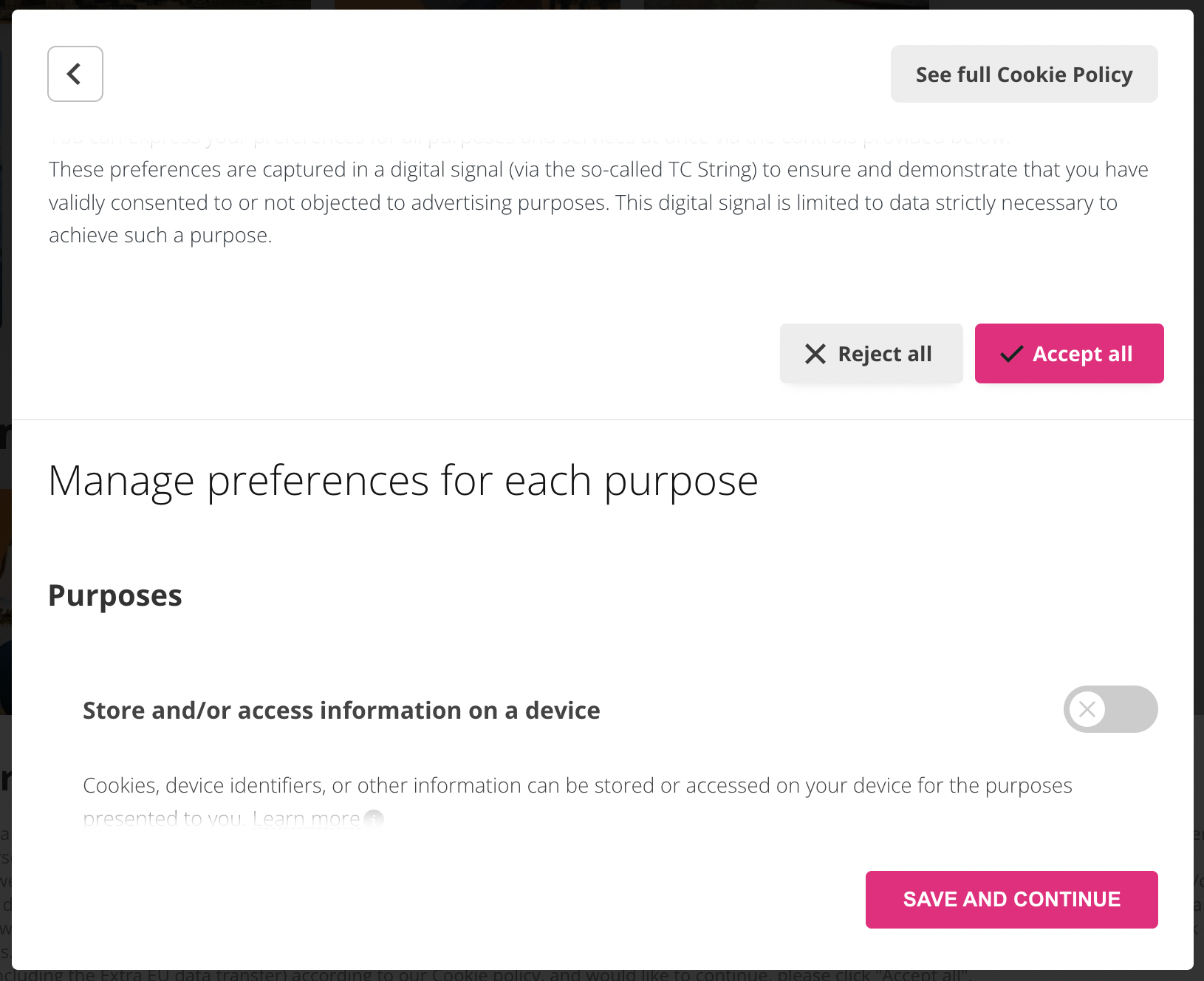
Também vale a pena acrescentar que, para tratar dados pessoais, os fornecedores podem contar com duas bases legais: consentimento dos usuários ou interesse legítimo. Como editor, você precisa permitir que seus usuários deem, neguem ou retirem (rescisão) livremente seu consentimento para a personalização de anúncios do Google a qualquer momento.
Our Privacy Controls and Cookie Solution allows your users to customize their advertising tracking preferences and allows you to choose which purposes are presented to your users – disabling specific purposes entirely if needed. You can also determine the viable legal basis for certain purposes (consent and/or legitimate interest). More info in our complete guide to TCF 2.0.
Requisitos para veicular anúncios personalizados
Google will serve personalized ads when all of the following criteria are met:
- The end-user grants Google consent to:
- Store and/or access information on a device (Purpose 1)
- Create a personalized ads profile (Purpose 3)
- Select personalized ads (Purpose 4)
- Legitimate interest is established (or consent is granted, where a publisher configures their CMP to use publisher restrictions to request consent for Google) for Google to:
- Select basic ads (Purpose 2)
- Measure ad performance (Purpose 7)
- Apply market research to generate audience insights (Purpose 9)
- Develop and improve products (Purpose 10)
Requisitos para veicular anúncios não personalizados
Se os requisitos para anúncios personalizados não forem atendidos, o Google servirá anúncios não personalizados quando todos os seguintes critérios forem atendidos:
- The end-user grants Google consent to:
- Store and/or access information on a device (Purpose 1)
- Legitimate interest (or consent, where a publisher configures their CMP to request it) is established for Google to:
- Select basic ads (Purpose 2)
- Measure ad performance (Purpose 7)
- Apply market research to generate audience insights (Purpose 9)
- Develop and improve products (Purpose 10)
Se você não tiver consentimento para a Finalidade 1, o Google tentará veicular anúncios limitados se você tiver interesse legítimo ou consentimento para as finalidades 2, 7, 9 e 10.
Em resumo:
| Finalidades | Anúncios personalizados | Anúncios não personalizados | Anúncios limitados |
|---|---|---|---|
| 1, 2, 3, 4, 7, 9, e 10 | ✅ | – | – |
| 1, 2, 7, 9, e 10 | – | ✅ | – |
| 2, 7, 9, e 10 | – | – | ✅ |
Se nenhum dos requisitos acima for atendido, o Google não servirá anúncios.
Troubleshooting: Google “Ad Tech Providers error” message
Occasionally, some users may receive a message from Google stating that: “You are not disclosing all the third parties you work with, including the Ad Tech Providers (ATPs) and therefore you’re not compliant with Google’s policy”.
If you’ve received such a message, don’t panic, we’ll show you how you can fix this below.
The reason you might have received it is because, from a Google check, some of the Ad Technology Providers you selected during the setup of Google Ad Manager don’t appear to match the ones declared within your CMP.
If you run personalized ads on your website/app, within your Google Ad Manager / AdSense UI (Admin > EU User Consent page), you should have selected one of these options:
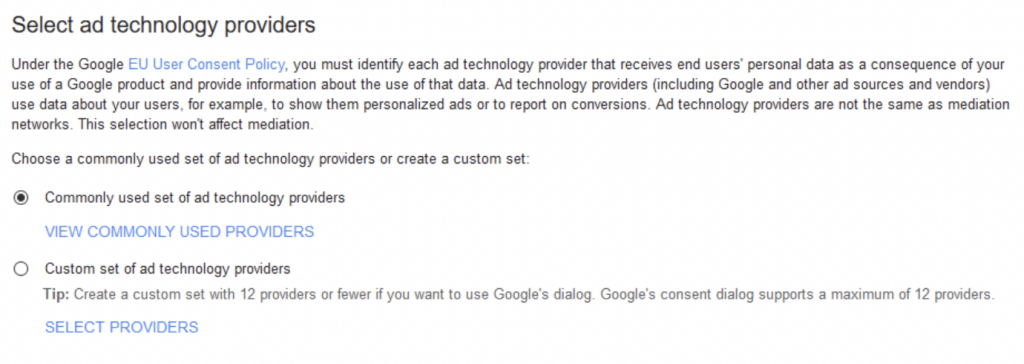
Google usually comes with a list of the ATPs that are found to be missing.
To fix the issue and be compliant with Google’s request you must therefore declare which third parties could measure and serve ads for EEA and UK users on your websites and apps (Ad Technology Provider Controls: Ad Manager Help Center, AdMob Help Center, AdSense Help Center) including all of them inside your Privacy and Cookie policy.
If you need help on how to add services to your Privacy and Cookie Policy check our guide.
❗️ By default, iubenda privacy policy generator doesn’t allow you to add more than 150 services. If you need to, please reach out to us and we’ll help you to get it done.
Lastly, you may also be requested to include this link about Google processing activities of users’ data.
The link is automatically embedded inside the generated policy when you select any Google’s advertising services within our generator:
- Google DV360,
- Google Campaign Manager 360,
- Google Ads Similar audiences
- Google Ad Manager
- Google Ad Manager Audience Extension,
- Google Ads Remarketing, Google
- AdSense
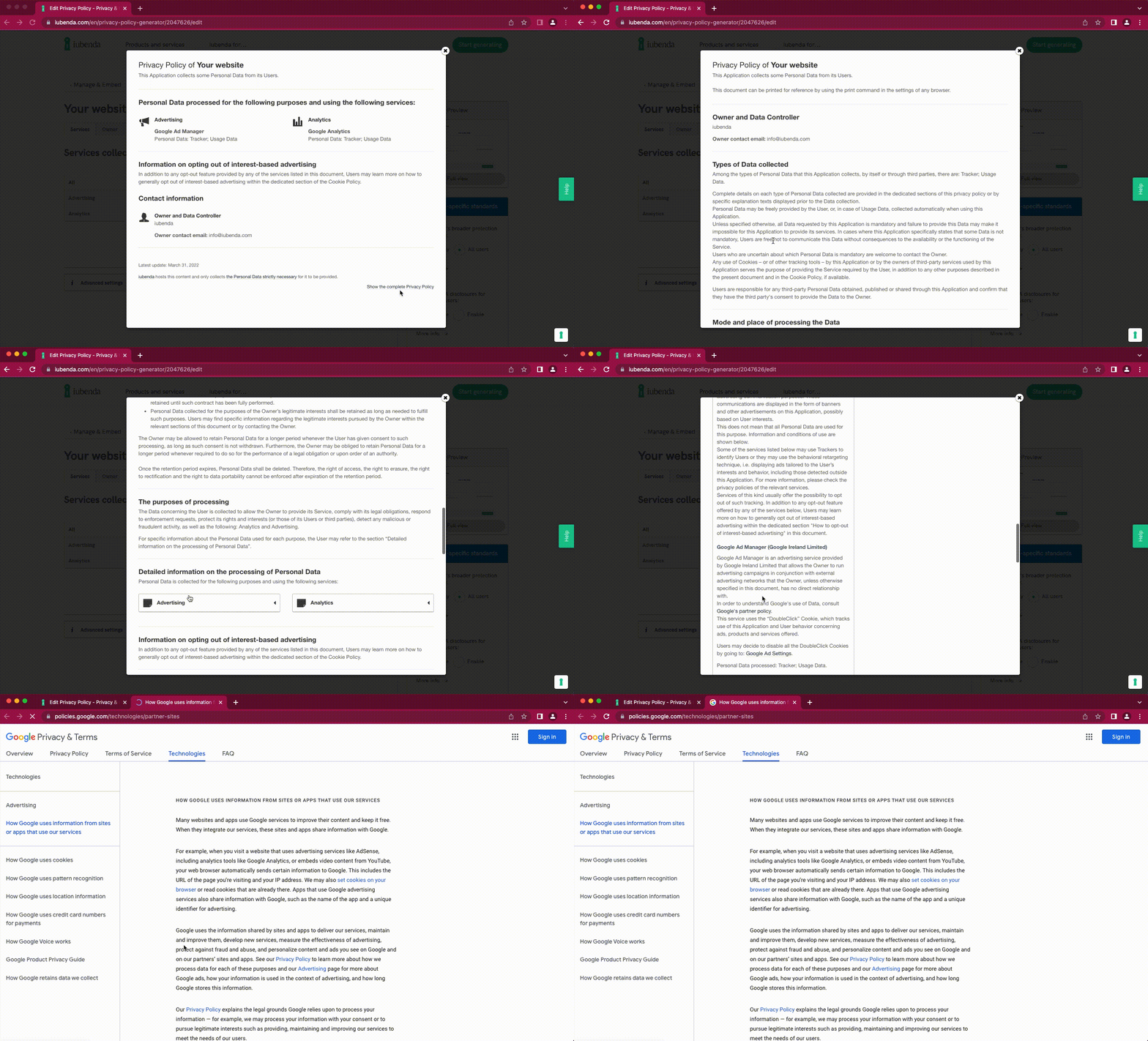
If you are requested to, and you have to show it to Google, you can find it inside complete view of your Privacy Policy, in the description of Google’s service under the “Detailed information on the processing of Personal Data” section, clicking on “Google’s partner policy”, as shown below:
iubenda e o TCF 2.0
Thanks to our support for TCF 2.0, our IAB registered Consent Management Platform (CMP) allows you to collect consent for Google’s ad personalization:
- Tick the Enable IAB Transparency and Consent Framework option in the Privacy Controls and Cookie Solution configurator (if you haven’t already activated the Privacy Controls and Cookie Solution, here’s a tutorial on how to get started).
- Paste the resulting Privacy Controls and Cookie Solution whitin the
<head>section of your website’s HTML as the first element. - Use one of the prior blocking methods supported by our Privacy Controls and Cookie Solution to directly block Google’s scripts and execute them only after consent has been collected.
How to comply with country-specific requirements
Different countries might have some specific requirements you may have to comply.
The Belgian Data Protection Authority (DPA) has recently issued a decision on IAB Europe and the Transparency and Consent Framework (TCF) setting out some additional requirements to provide enhanced transparency and more informed consent to users.
iubenda can help you meet the most stringent requirements, so if you operate with Belgium make sure you use this configuration.
Furthermore, some other national DPAs, like in Italy, have excluded the use of legitimate interest as a valid legal basis, and it’s important to restrict it to “Consent only” if you operate in those countries.
To make sure you set up the best configuration you can check the country-specific requirements in our Cookie Consent Cheatsheet.
For more information, please read our guide to iubenda’s CMP and IAB TCF 2.0 or view the demo of our Privacy Controls and Cookie Solution with TCF 2.0 enabled.
Modo de consentimento adicional
Our Privacy Controls and Cookie Solution also supports Google’s Additional Consent Mode, which allows you to gather consent for Google ad partners that are not yet part of the Transparency and Consent Framework but are on Google’s Ad Tech Providers (ATP) list.
Don’t confuse Additional Consent Mode with Consent Mode, a feature that allows you to manage cookies for advertising and analytics purposes.
To enable this feature, select the checkbox Support Google’s Additional Consent Mode, to gather consent for Google’s advertising partners that do not adhere to the TCF within the Privacy Controls and Cookie Solution configurator (in some cases the checkbox will be automatically selected when you enable the TCF for the first time):

Isso adicionará "googleAdditionalConsentMode": true ao seu trecho de código:
Important: With Remote Configuration, this change is directly pushed to the website when you save. No new code embedding is needed.
<script type="text/javascript">
    var _iub = _iub || [];
    _iub.csConfiguration = {
        "lang": "en",
        "siteId": XXXXXX, //use your siteId
        "cookiePolicyId": YYYYYY, //use your cookiePolicyId
        "countryDetection": true,
        "consentOnContinuedBrowsing": false,
        "perPurposeConsent": true,
        "enableTcf": true,
        "googleAdditionalConsentMode": true,
        "banner": {
            "acceptButtonDisplay": true,
            "customizeButtonDisplay": true,
            "rejectButtonDisplay": true,
            "position": "float-top-center"
        }
    };
</script>
<script type="text/javascript" src="//cdn.iubenda.com/cs/tcf/stub-v2.js"></script>
<script type="text/javascript" src="//cdn.iubenda.com/cs/iubenda_cs.js" charset="UTF-8" async></script>
Correções para erros comuns
Solucione os problemas mais comuns do TCF 2.0 no Ad Manager, AdSense e AdMob, tomando as seguintes ações:
| Error | Description | Suggested action to take (if any) |
|---|---|---|
1.1 |
Caused by user action. Error 1.1 occurs if the user doesn’t give consent to Google’s ads. This means that almost any website will get at least some 1.1 errors. |
This error is perfectly normal as long as the number of occurrences is in line with the number of users choosing “Reject” on the cookie notice (if implemented), or disabling ad tracking manually through the TCF preferences. This error, therefore, should only cause concern if it’s abnormally high. |
2.1 |
Related to the configuration of the TCF on the site for the consent to personalize ads. | Google doesn’t serve ads, not even non-personalized ads, if the user has not expressed a preference in regards to cookies or has not given consent. To solve this problem, you must only run the Google script when you have gained consent. We support two main implementation methods for our Privacy Controls and Cookie Solution. If you work with Google ads and you’re getting this error, you must mandatorily block Google’s scripts prior to collecting consent using one of the methods listed here. Alternatively, the error could be due to an incorrect |
4.1 |
It occurs when the TC string being generated is using a version of the Global Vendor List (GVL) that doesn’t include Google, because it was collected pre-August 1st, 2020 (i.e before Google joined the GVL). |
Modify your CMP configuration to ensure consent collected prior to August 1st is invalidated. In the Privacy Controls and Cookie Solution, this can be done by setting |
5.2 |
Google doesn’t allow to share consent with other sites, as consent has to be service-specific. |
Our Privacy Controls and Cookie Solution no longer saves global consent, so there’s no need for any adjustments on your part. |
6.1 |
Consent served is v1 and not v2. This can happen when using AMP because of the cache (keep in mind that errors are per ad unit and are cumulative over the last 7 days). |
Update your AMP pages in order to use the new |