

⚠️ Caution
Please be aware that the built-in feature within Shopify, which allows you to add a Privacy Policy under Shopify admin > Settings > Policies, does not support the inclusion of scripts. As a result, it is not suitable for embedding our solutions.
We recommend avoiding the use of this built-in feature and instead following the methods outlined in the guide below.
If you run a Shopify store, you need to create a Privacy (and Cookie) Policy to let your customers know how you use their personal information. It’s a good practice to use a Shopify Privacy Policy Generator.
Once you’ve generated your Privacy Policy with iubenda, you have three ways to integrate it on your Shopify website. You can either:
- take advantage of iubenda’s free version by using our widget;
- add a direct link to your Shopify store that will then lead your users to your iubenda-hosted Privacy Policy; or
- directly embed the privacy policy text into your Shopify Privacy Policy page.
Widget
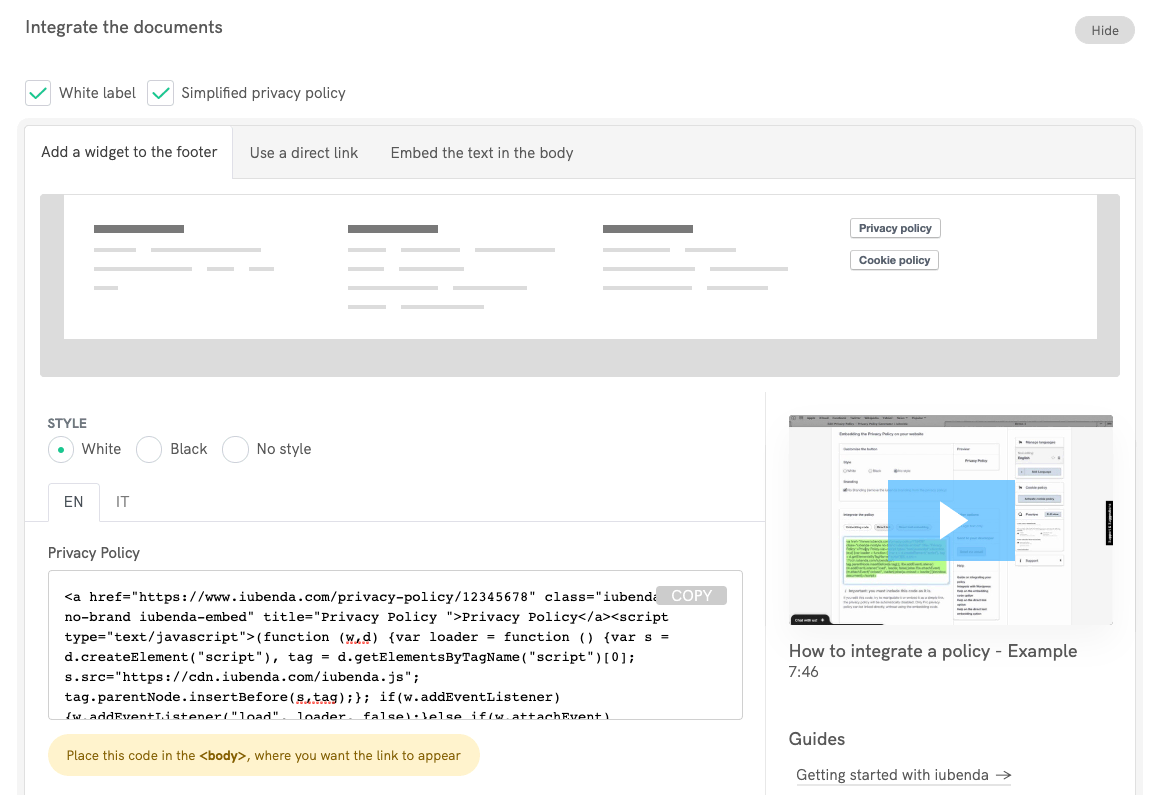
Access your iubenda dashboard, click on [Your website] > Privacy and Cookie Policy > Embed and copy the code under the Add a widget to the footer tab.
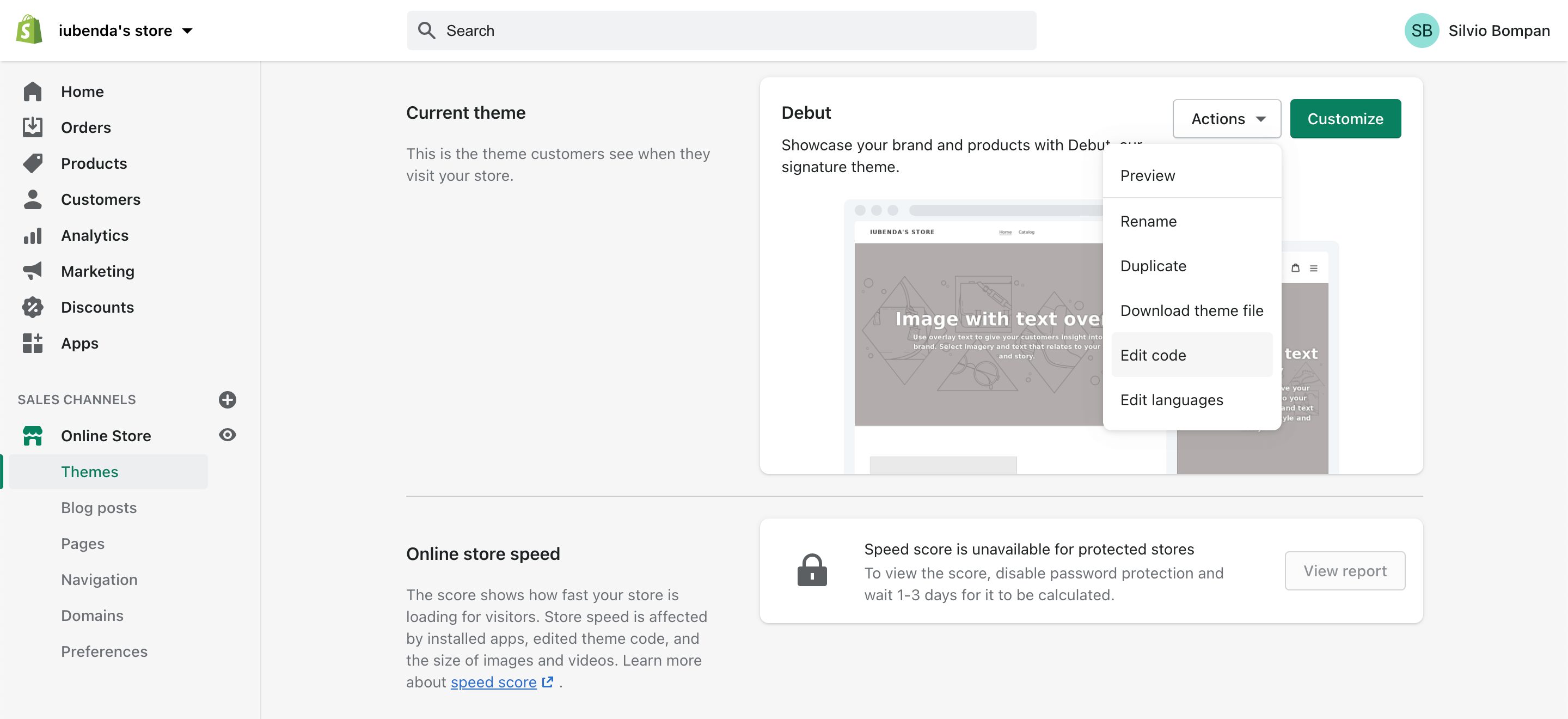
Accédez à l’espace admin de votre magasin Shopify et allez dans votre Magasin en ligne > Thèmes. Ensuite, cliquez sur Actions (sur la droite), puis sur Modifier le code, comme illustré ci-dessous :
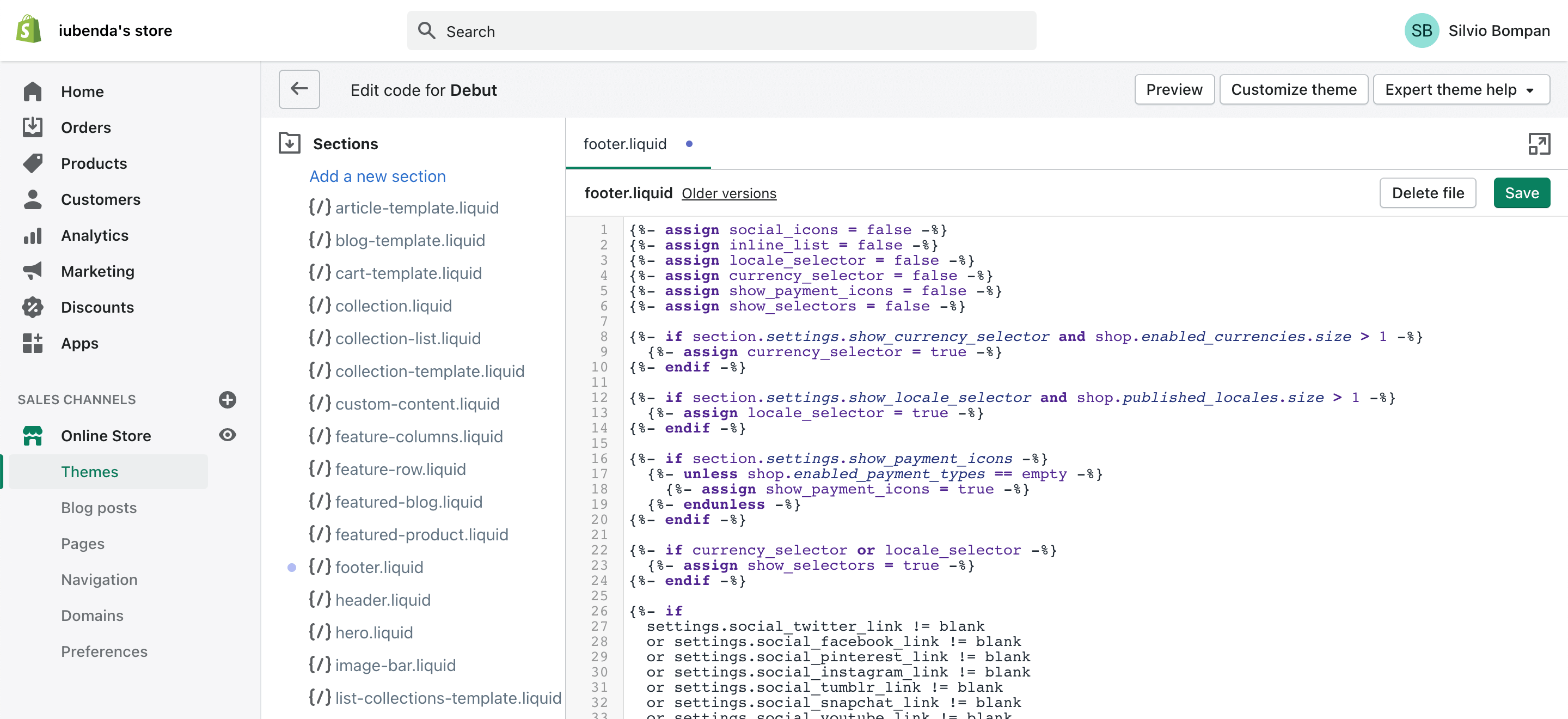
Vous serez redirigé vers une page qui vous permet de modifier vos fichiers thème : allez dans Sections et cliquez sur footer.liquid
Look for the closing </footer> tag and paste your privacy policy embed code anywhere before it.
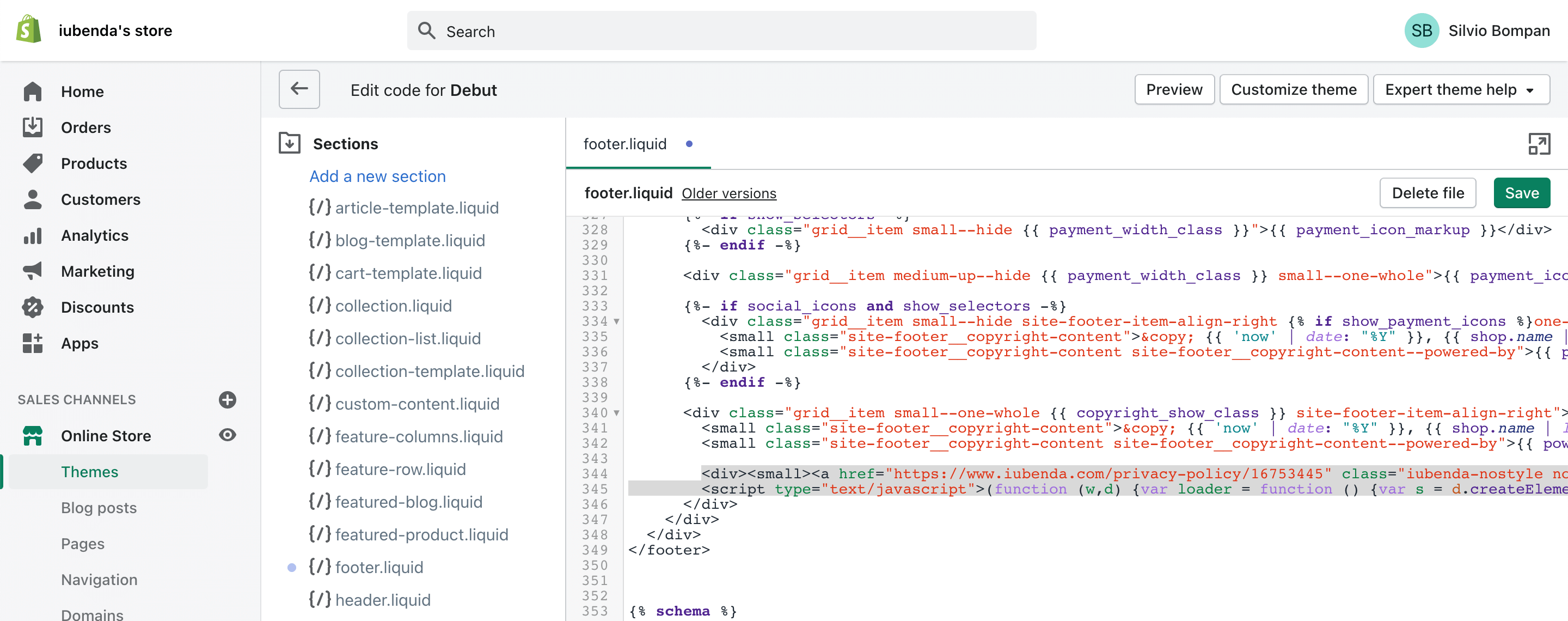
Dans l’exemple illustré ci-dessus, nous avons placé le code entre les tags <div><small></small></div> pour créer une nouvelle ligne. En copiant le code d’intégration de la politique de confidentialité, nous avons aussi choisi l’option « Sans style » pour obtenir un lien texte personnalisable, plutôt que le bouton par défaut.
Next, click Save at the top right, check your store to make sure that you like the placement of the link and adjust if needed. And that’s it, you’ve now integrated your iubenda privacy policy with your Shopify site!
Lien direct
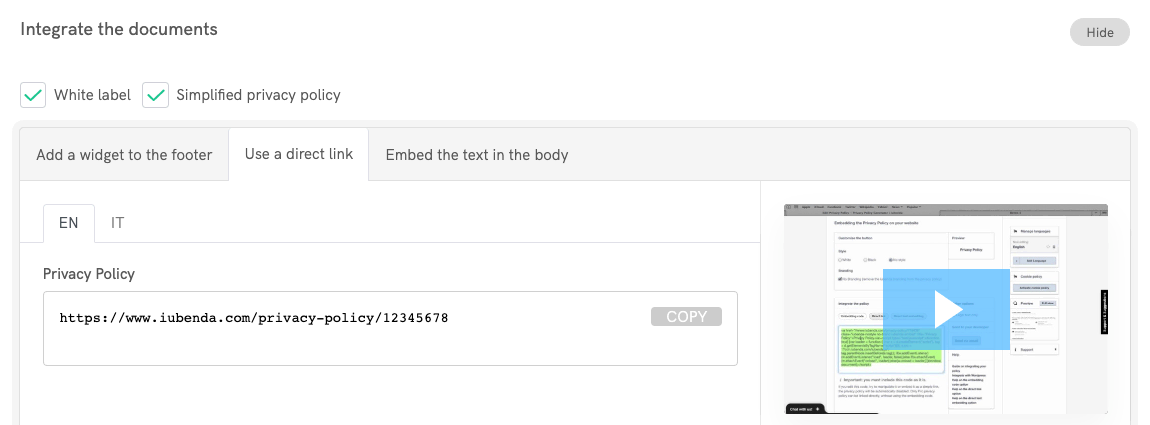
Access your iubenda dashboard, click on [Your website] > Privacy and Cookie Policy > Embed and copy the privacy policy URL you find under the Use a direct link tab.
Accédez à l’espace admin de votre magasin Shopify et allez dans votre Magasin en ligne > Thèmes. Ensuite, cliquez sur Actions (sur la droite), puis sur Modifier le code, comme illustré ci-dessous :
Vous serez redirigé vers une page qui vous permet de modifier vos fichiers thème : allez dans Sections et cliquez sur footer.liquid
Look for the closing </footer> tag and paste your Privacy Policy link anywhere before it.
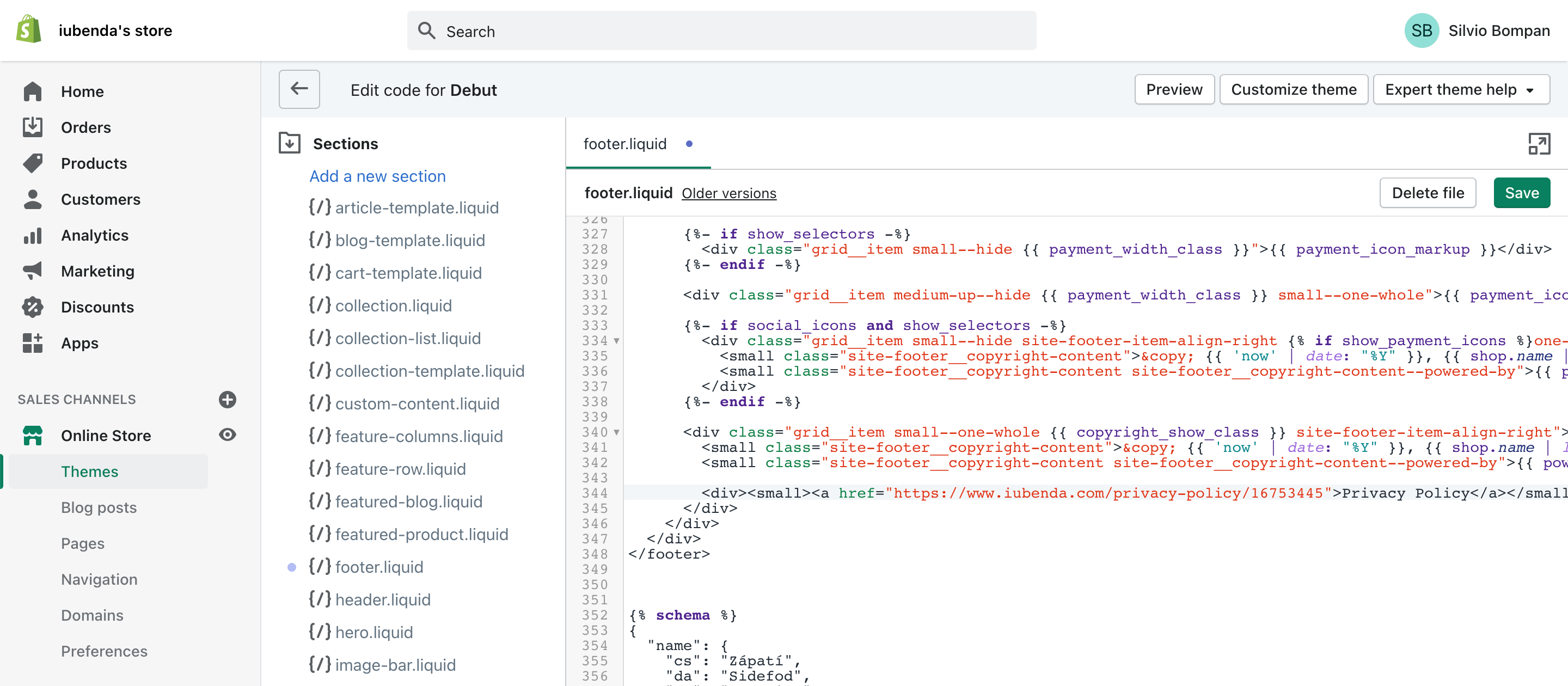
In the example pictured above, we’ve placed the <a href="https://www.staging.iubenda.com/privacy-policy/12345678">Privacy Policy</a> link between the <div><small></small></div> tags to create a new line.
Next, click Save at the top right, check your store to make sure that you like the placement of the link and adjust if needed. And that’s it, you’ve now integrated your iubenda privacy policy with your Shopify site!
Intégration directe du texte
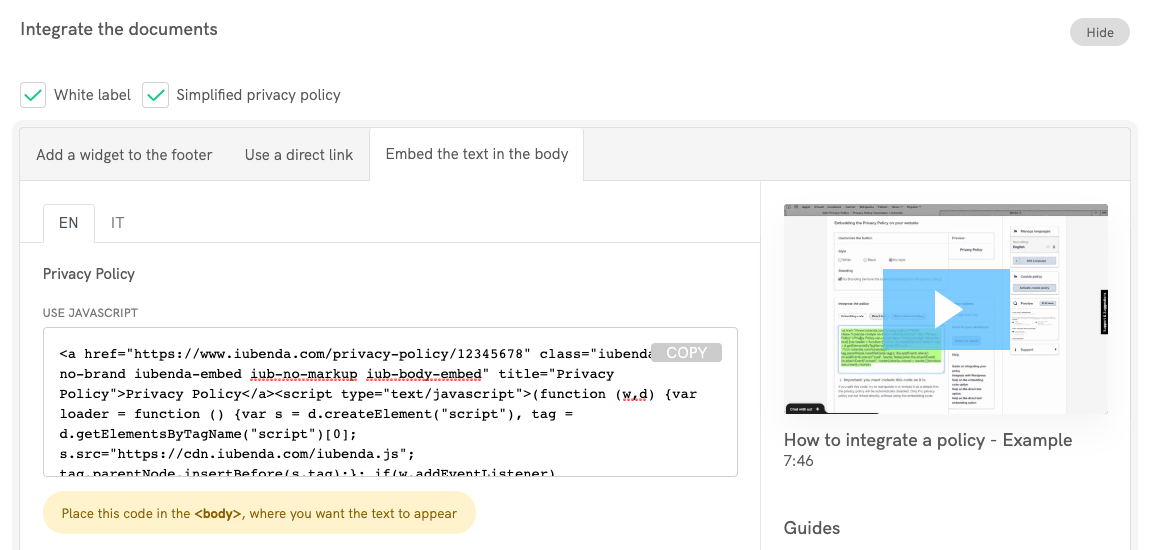
The direct text embedding option makes your privacy policy look as if it were natively a part of your own site. Access your iubenda dashboard, click on [Your website] > Privacy and Cookie Policy > Embed and copy the code under the Embed the text in the body tab.
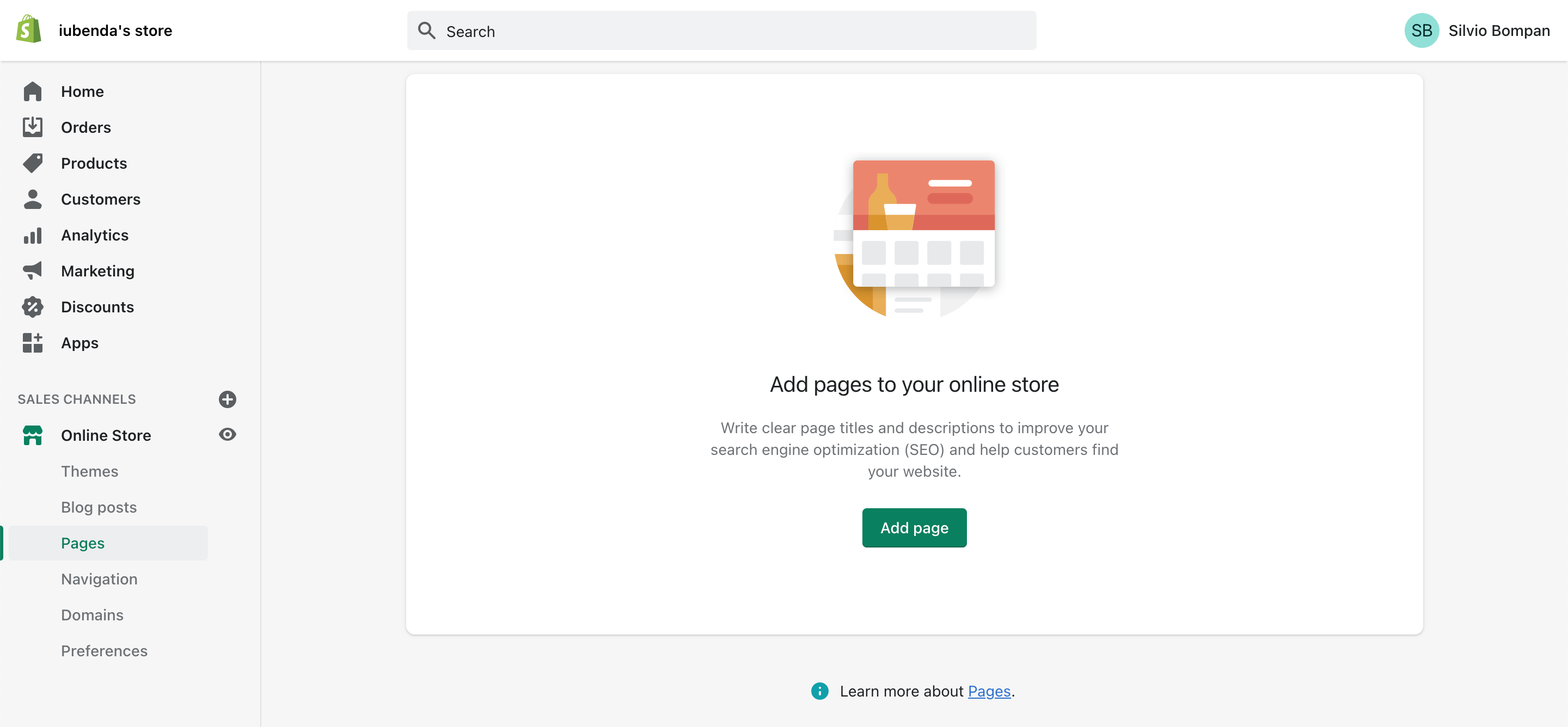
Accédez à l’espace admin de votre magasin Shopify et allez dans votre Magasin en ligne > Pages. Ensuite, cliquez sur Ajouter une page :
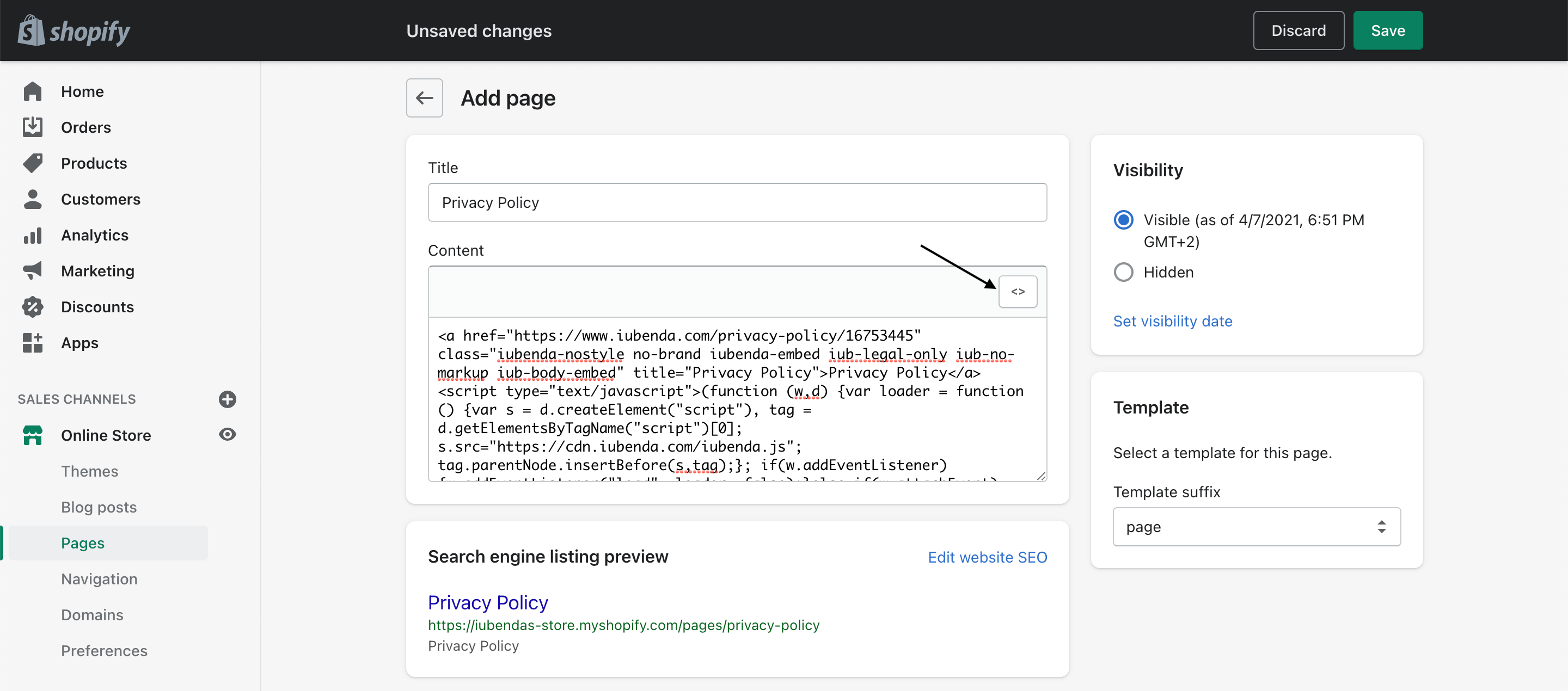
Nommez la page « Politique de Confidentialité », cliquez sur le bouton Afficher HTML et collez votre code iubenda :
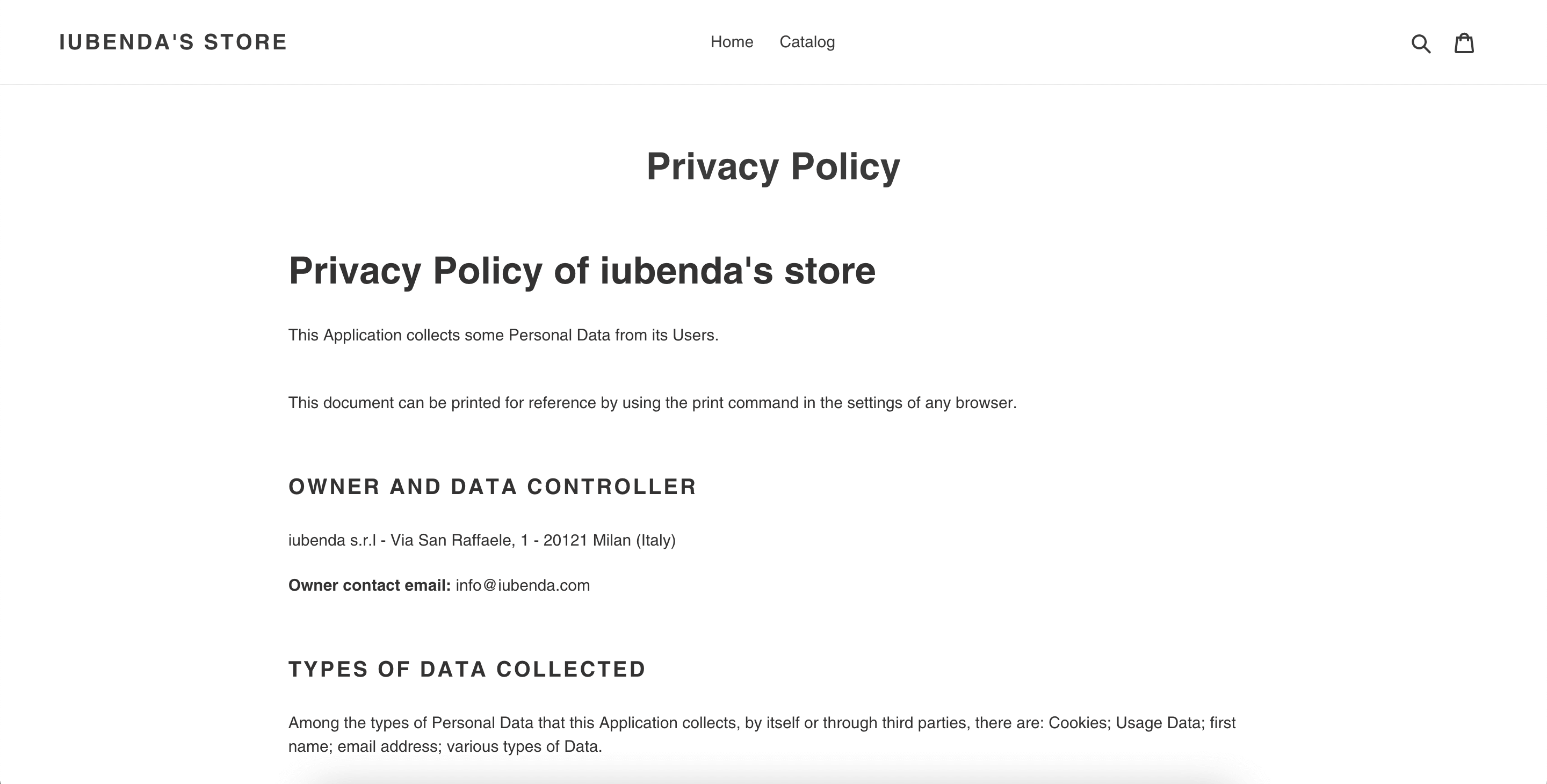
Cliquez sur Sauvegarder et vous avez terminé !
Terms and Conditions for eCommerce (and how they protect your business)
Terms and Conditions (also called ToS – Terms of Service, Terms of Use or EULA – End User License Agreement) set the way in which your product, service or content may be used, in a legally binding way. Not only are crucial for protecting you from potential liabilities, but – especially in cases of eCommerce stores – they often contain legally mandated information such as users’ rights, withdrawal or cancellation disclosures.
A valid Terms and Conditions document is generally required whenever complex issues are at stake, such as in the case of eCommerce, where sensitive information such as payment data is processed. In these cases, the Terms and Conditions typically contains legal information related to conditions of sale and disclosures on methods of payment, shipping, delivery, withdrawals, and cancellation conditions etc. – as commonly required by consumer protection regulations.
Read Terms and Conditions for eCommerce (and how they protect your business) to learn more or create your document in minutes with our Terms and Conditions Generator.