

Once you’ve generated your privacy policy with iubenda, you have three ways to integrate it on your Webflow website. You can either:
- take advantage of iubenda’s free version by using our widget;
- add a direct link to your Webflow site that will then lead your users to your iubenda-hosted privacy policy; or
- directly embed the privacy policy text into your Webflow privacy policy page.
1. Widget
Vous aurez besoin d’un plan payant Webflow pour insérer du code HTML dans le pied de page.
Access your iubenda dashboard, click on [Your website] > Privacy and Cookie Policy > Embed and copy the code under the Add a widget to the footer tab.
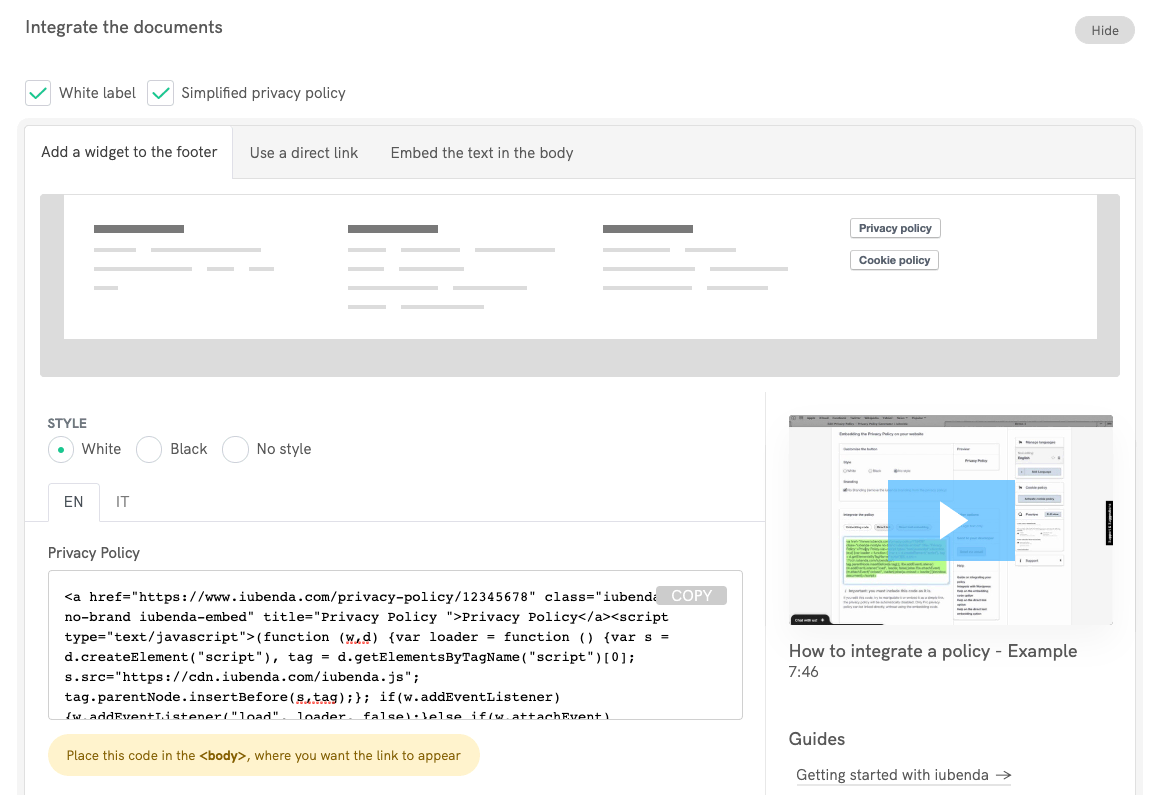
Maintenant, allez sur votre projet Webflow et ajouter un élément Embed au bas de page (plus d’infos sur Webflow University).
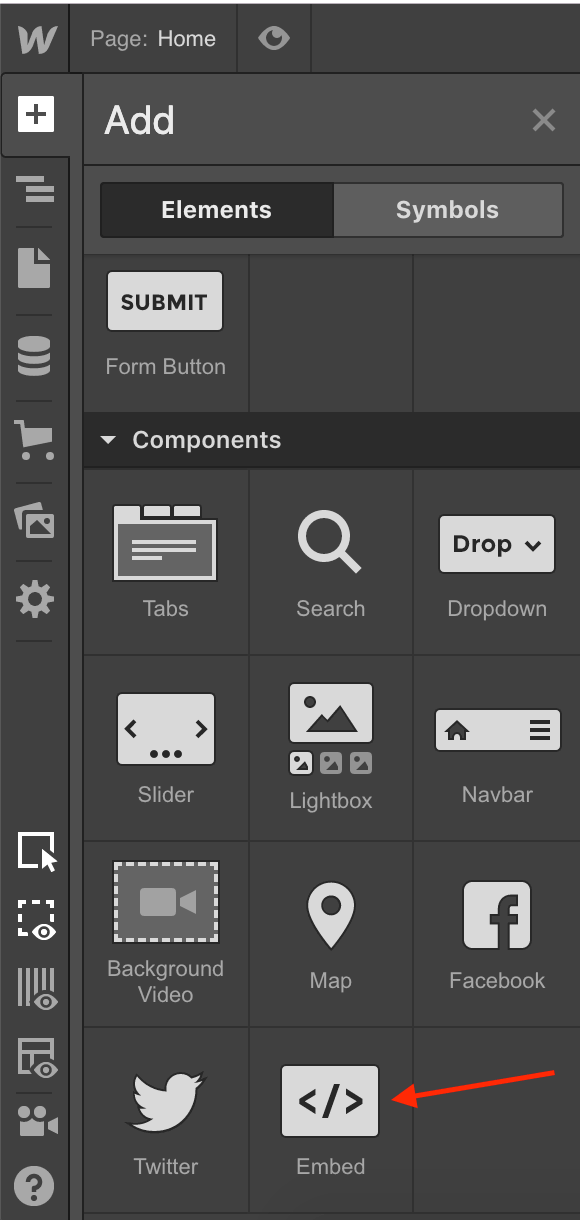
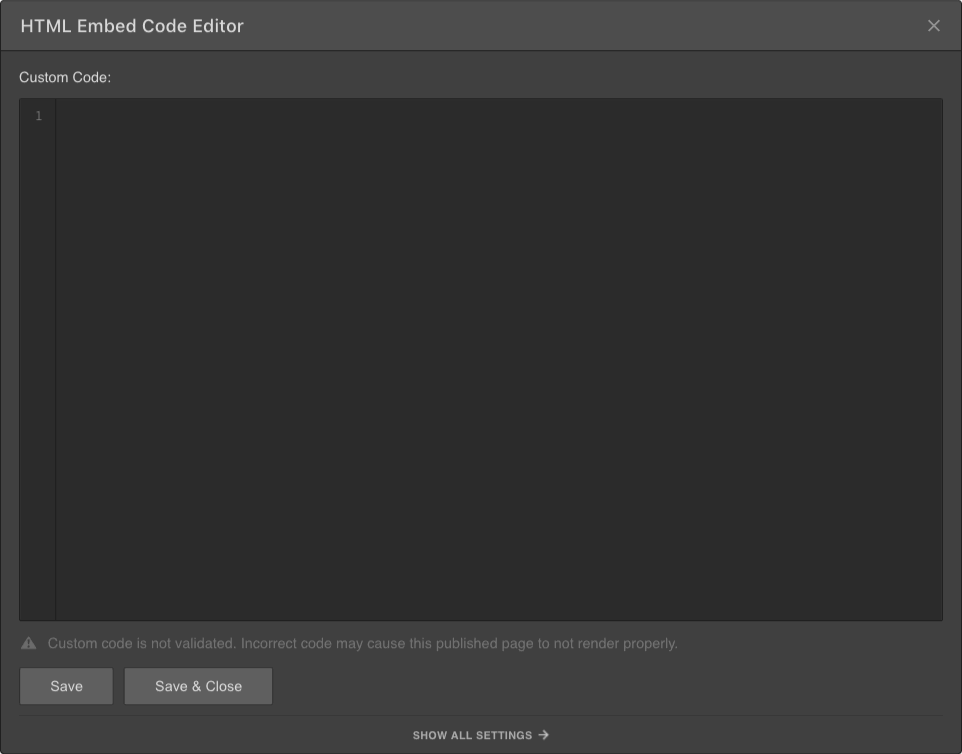
Enfin, collez le code iubenda dans le « embed code editor », sauvegardez et fermez, et vous avez terminé !
À quoi ressemble le bouton ?
Voici un exemple réel. Cliquez sur le bouton pour ouvrir la politique :
Privacy Policy2. Lien direct
This method requires a iubenda Pro/Ultra License, but it works also with the Webflow free plan.
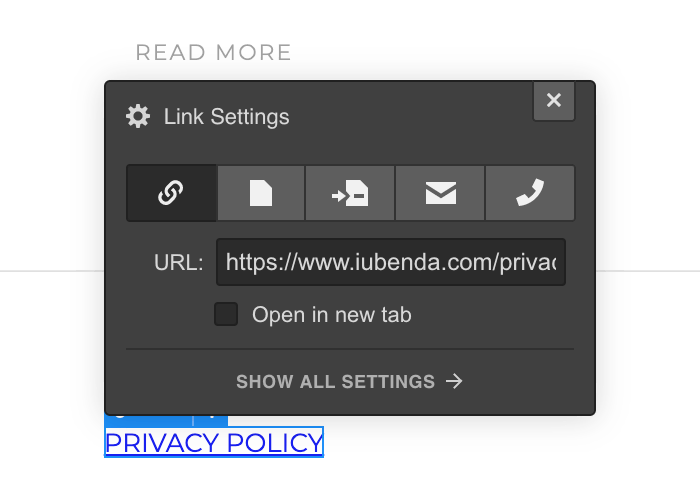
Access your iubenda dashboard, click on [Your website] > Privacy and Cookie Policy > Embed and copy the privacy policy URL you find under the Use a direct link tab.
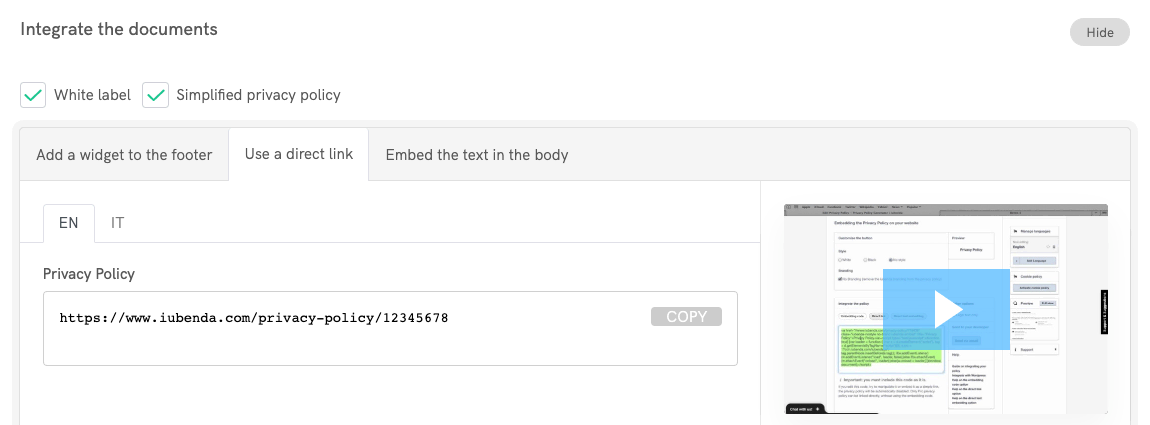
Ensuite, allez sur votre projet Webflow, ajouter un lien texte Text Link au bas de page (ou en modifier un existant) et appelez-le "Politique de Confidentialité".
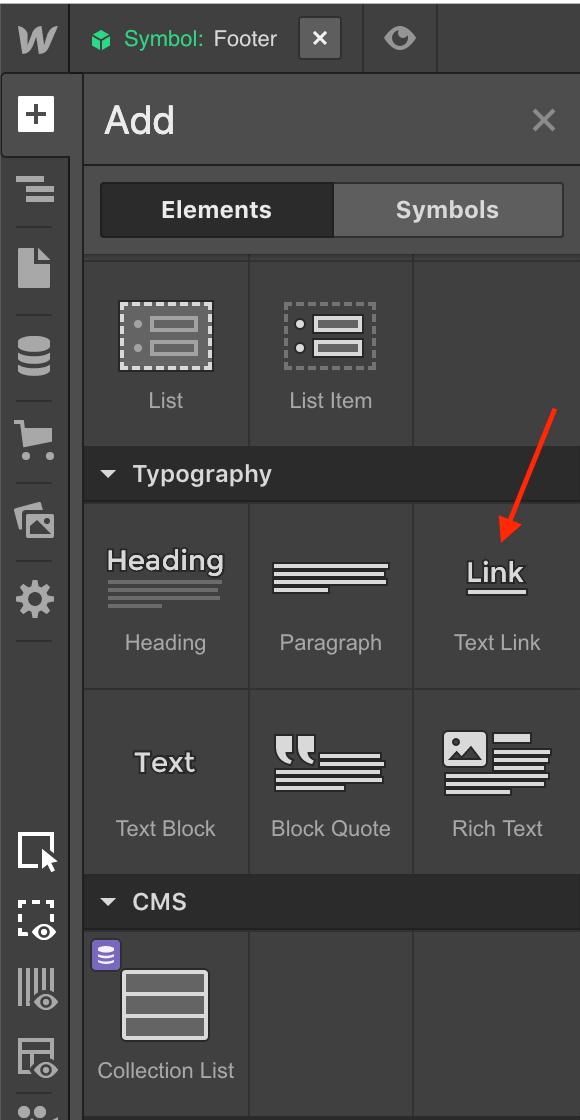
Collez le lien URL de la politique de confidentialité dans les paramètres URL et vous avez terminé !
3. Intégration directe du texte
This method requires a iubenda Pro/Ultra License and a Webflow paid plan.
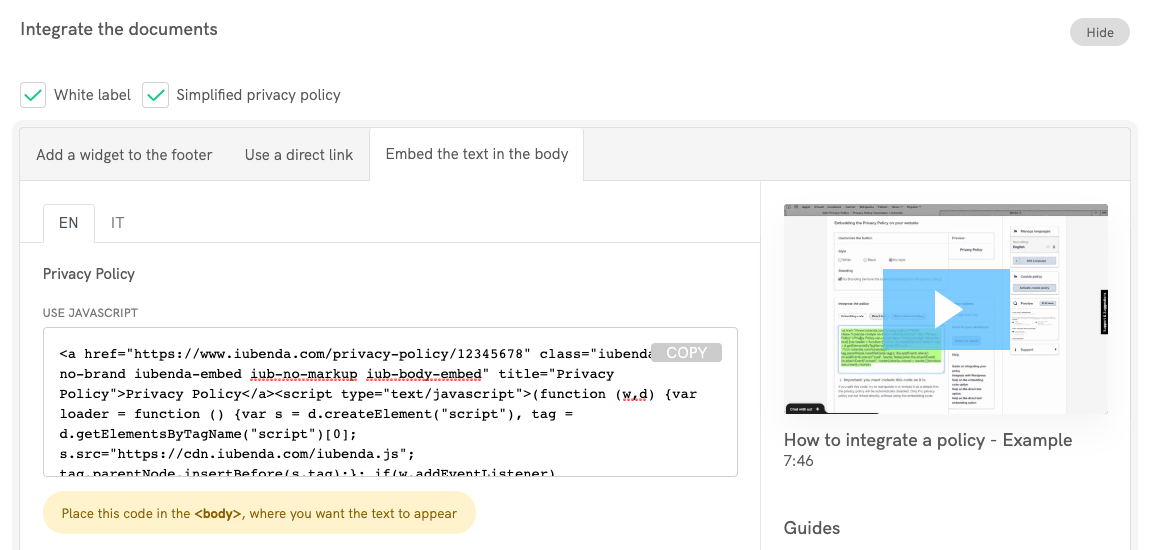
The direct text embedding option makes your privacy policy look as if it were natively a part of your own site. Access your iubenda dashboard, click on [Your website] > Privacy and Cookie Policy > Embed and copy the code under the Embed the text in the body tab.
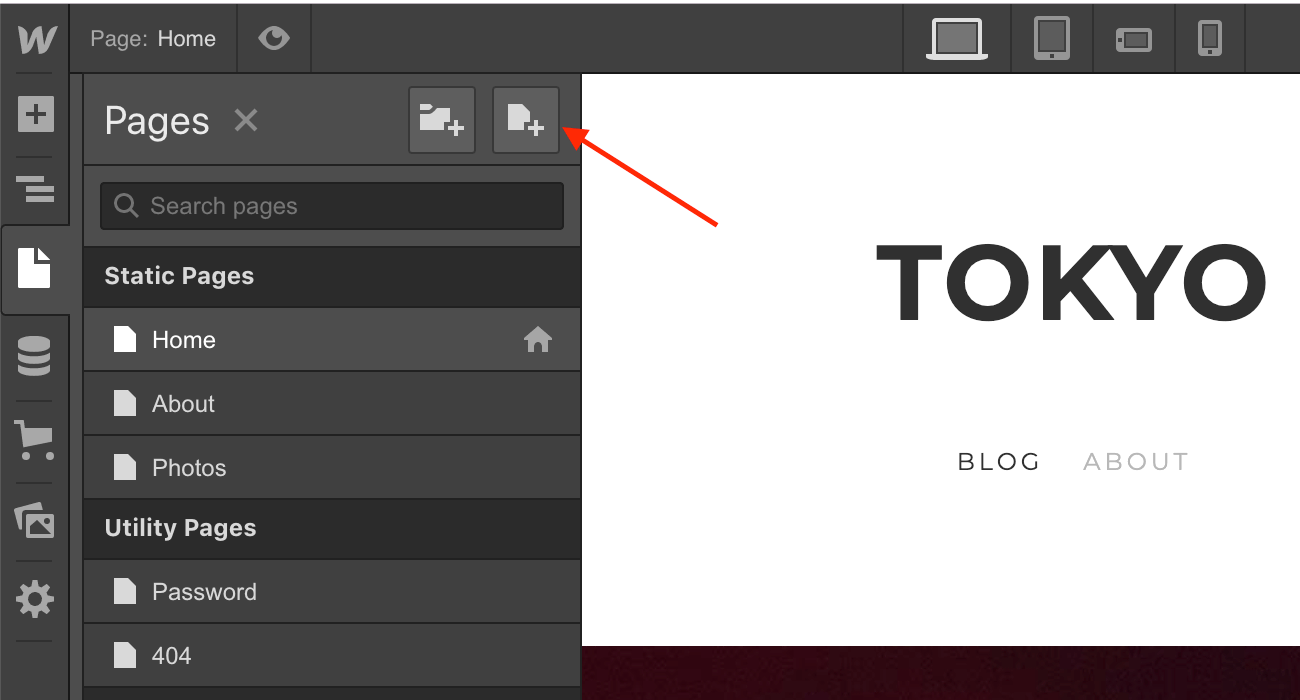
Maintenant, allez sur votre projet Webflow, ajoutez une nouvelle page et appelez-la "Politique de Confidentialité".
Ajoutez un élément Embed à la page tout juste créée (pour plus d'infos sur l'insertion de code personnalisé, consultez Webflow University).
Enfin, collez le code iubenda dans le "embed code editor", sauvegardez et fermez, et vous avez terminé !