

Once you’ve generated your privacy policy with iubenda, you have three ways to integrate it on your Webflow website. You can either:
- take advantage of iubenda’s free version by using our widget;
- add a direct link to your Webflow site that will then lead your users to your iubenda-hosted privacy policy; or
- directly embed the privacy policy text into your Webflow privacy policy page.
1. Widget
Necesitarás un plan de pago de Webflow para añadir código HTML en tu pie de página.
Access your iubenda dashboard, click on [Your website] > Privacy and Cookie Policy > Embed and copy the code under the Add a widget to the footer tab.
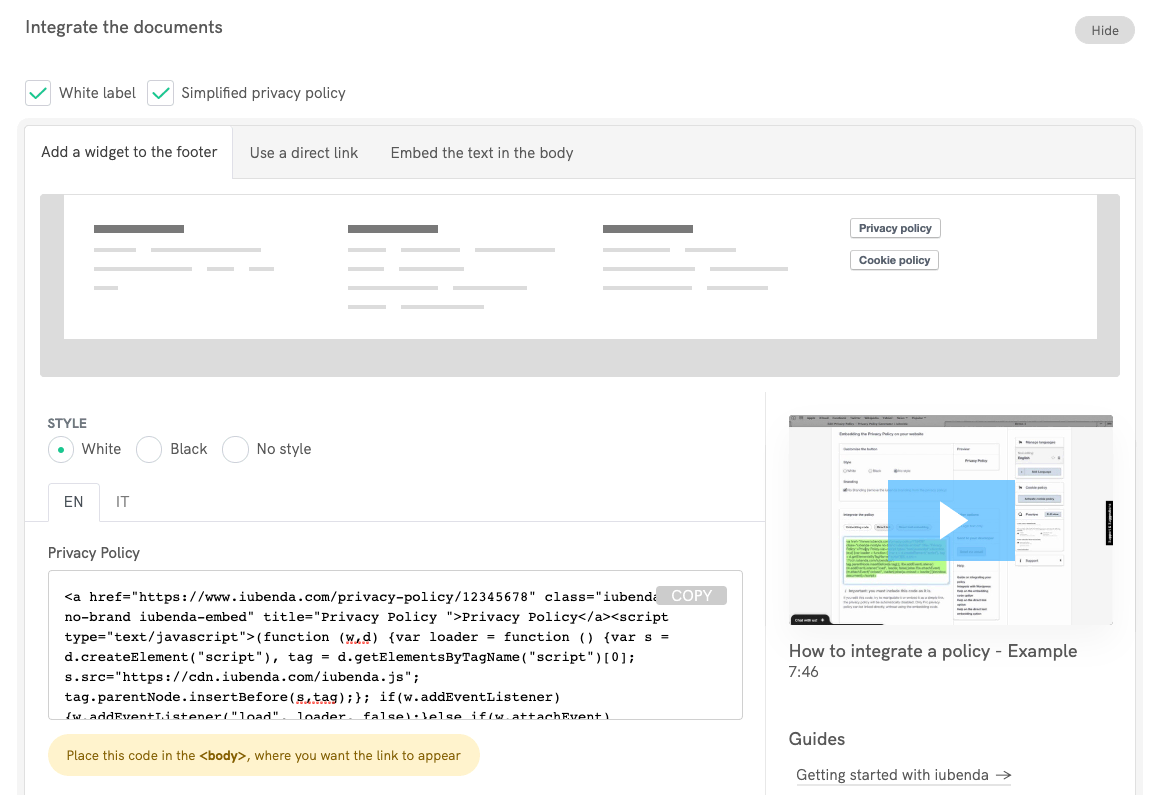
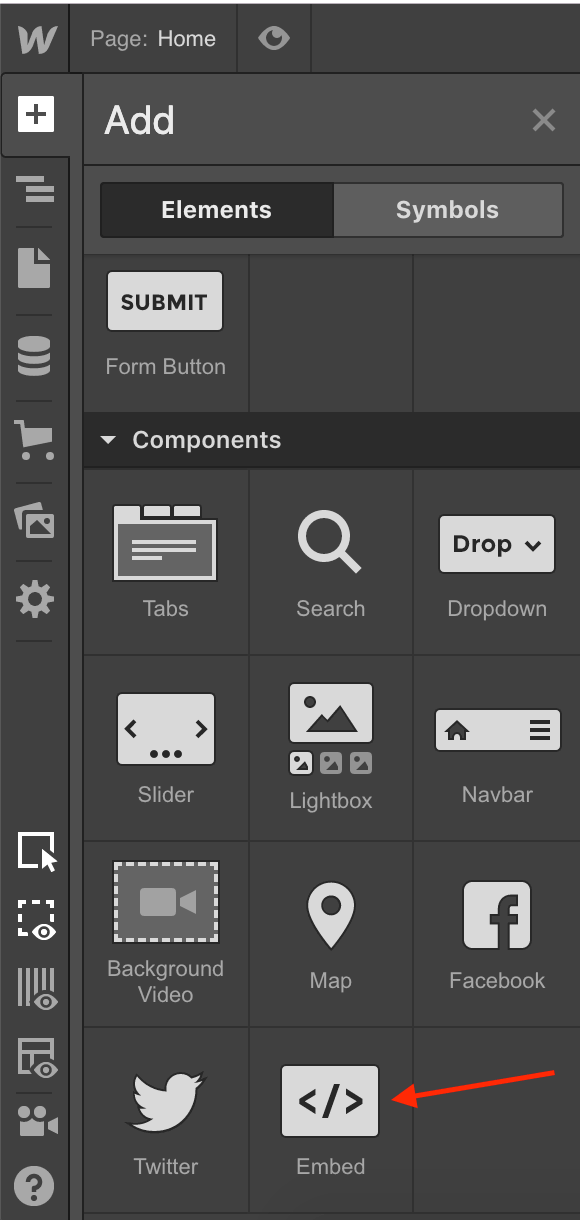
Ahora dirígete a tu proyecto de Webflow y agrega un elemento Embed a tu pie de página (más información en Webflow University).
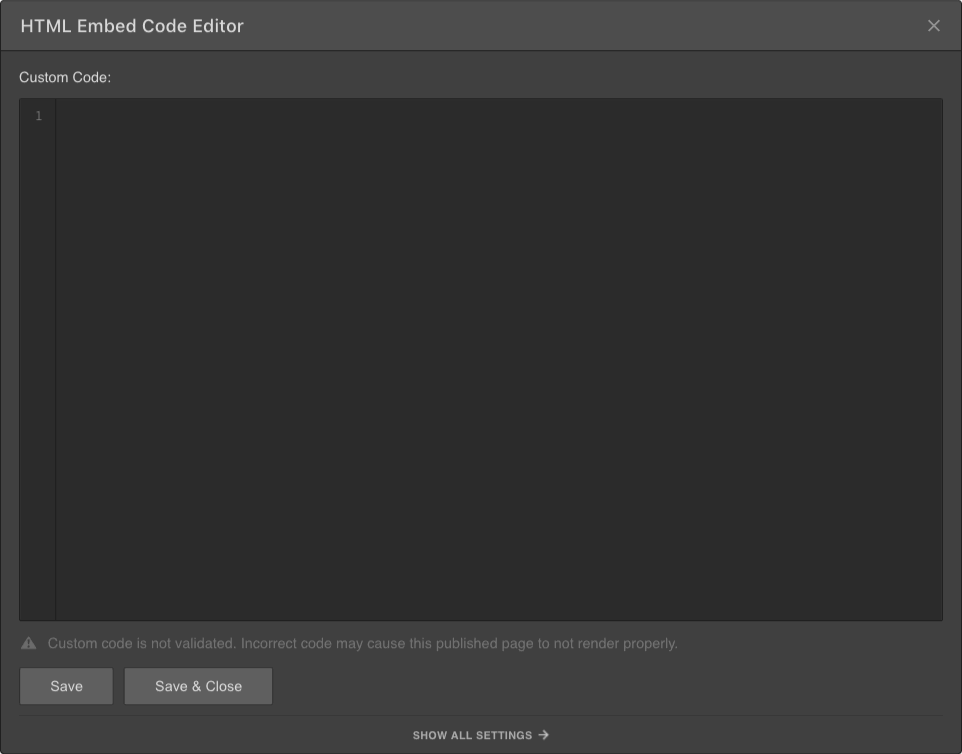
Por último, pega el código de iubenda dentro del embed code editor de Webflow, haz clic en Save & Close y eso es todo.
¿Qué aspecto tiene?
Aquí tienes un ejemplo en funcionamiento. Haz clic en el botón para abrir la política:
Privacy Policy2. Enlace directo
This method requires a iubenda Pro/Ultra License, but it works also with the Webflow free plan.
Access your iubenda dashboard, click on [Your website] > Privacy and Cookie Policy > Embed and copy the privacy policy URL you find under the Use a direct link tab.
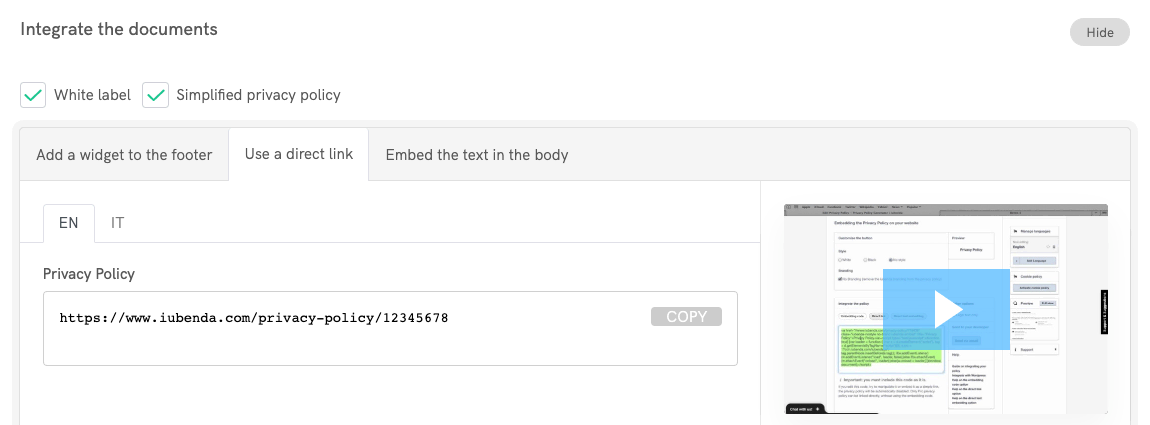
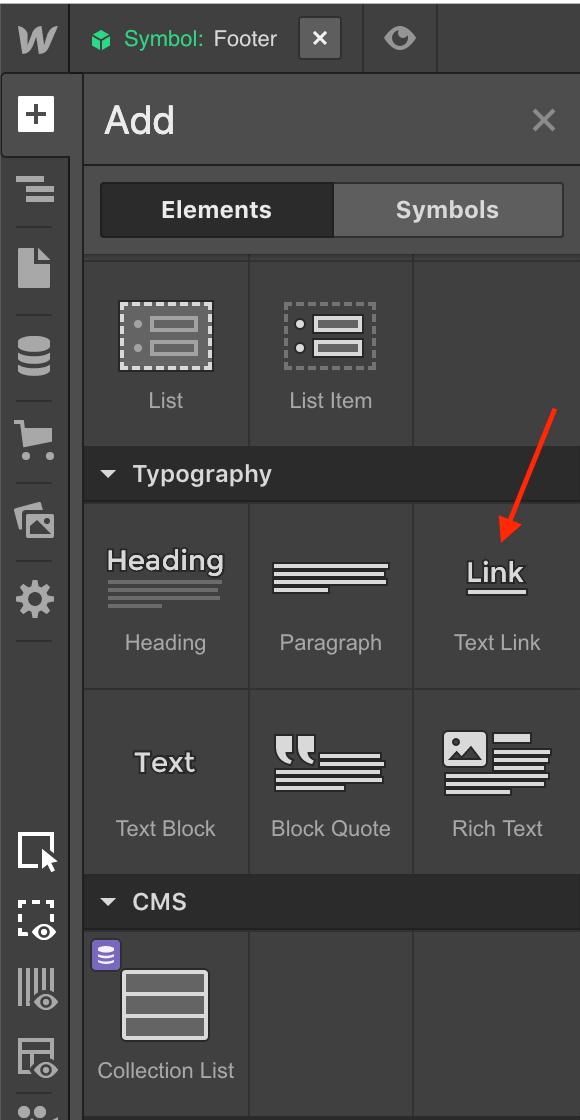
Ahora dirígete a tu proyecto de Webflow, agrega un enlace de texto a tu pie de página (o edita uno existente) y asígnale el nombre "Política de privacidad".
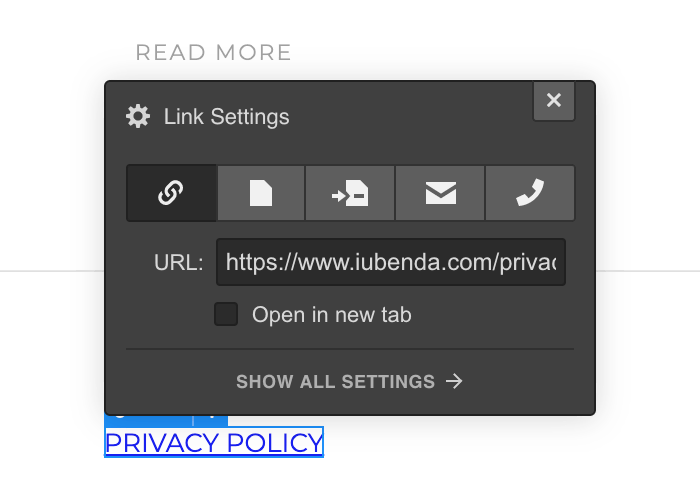
Pega la URL de la política de privacidad en el campo URL de configuración del enlace y listo.
3. Integración directa de texto
This method requires a iubenda Pro/Ultra License and a Webflow paid plan.
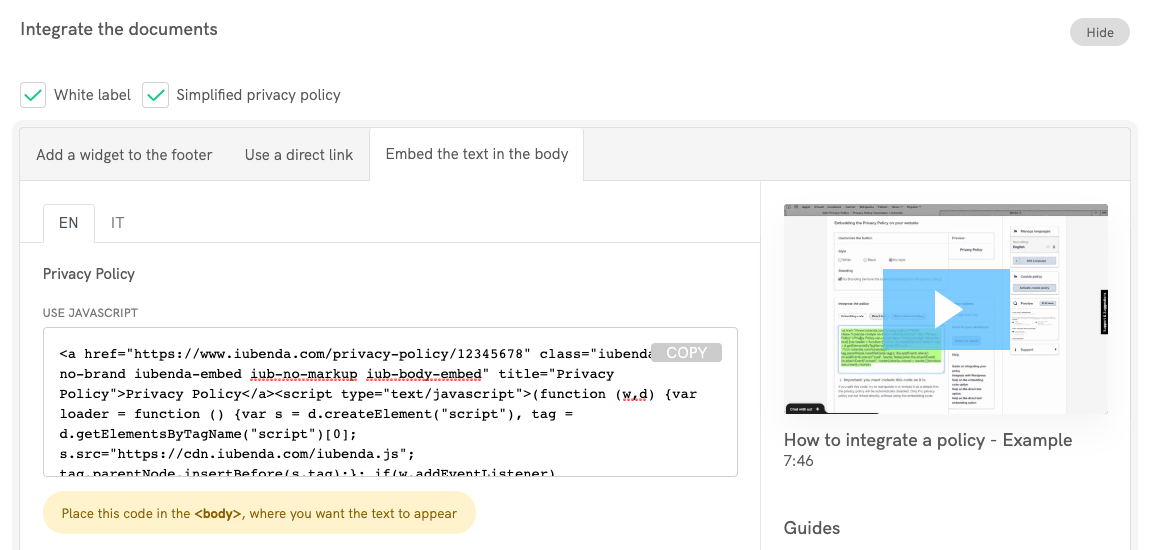
The direct text embedding option makes your privacy policy look as if it were natively a part of your own site. Access your iubenda dashboard, click on [Your website] > Privacy and Cookie Policy > Embed and copy the code under the Embed the text in the body tab.
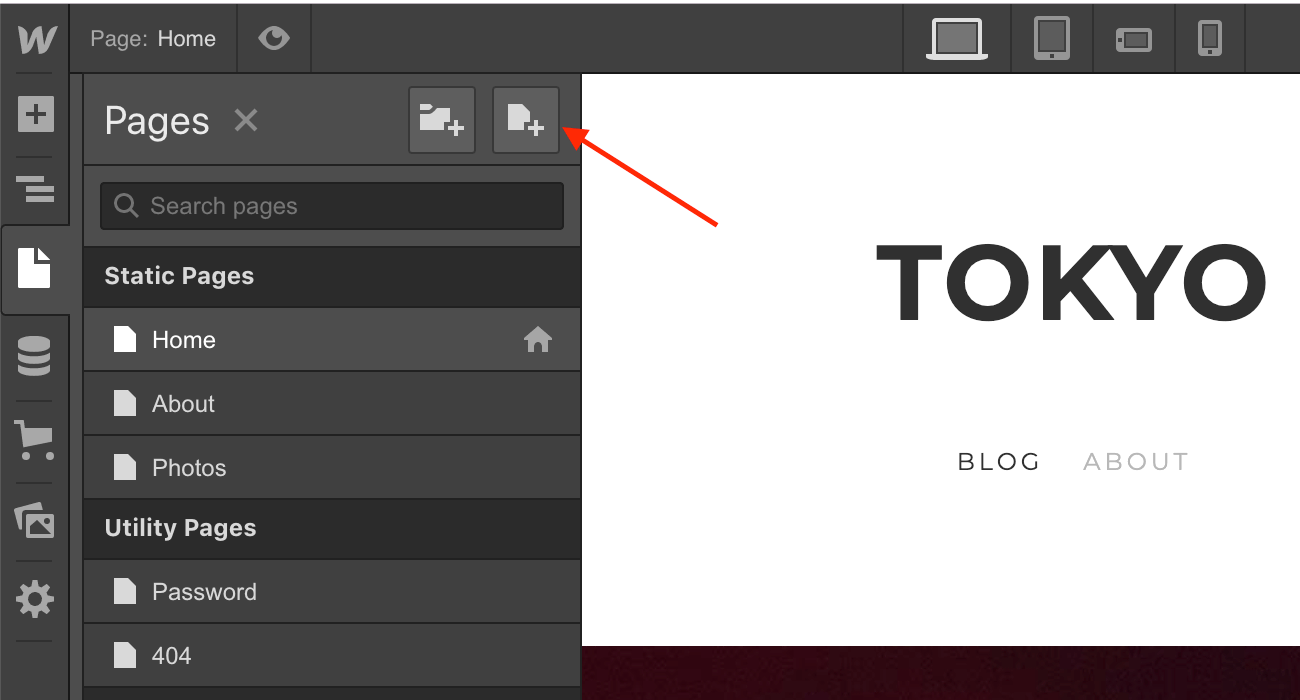
Ahora dirígete a tu proyecto de Webflow, añade una página nueva y asígnale el nombre "Política de privacidad".
Agrega un elemento Embed a la página de tu Política de privacidad (consulta Webflow University para obtener más información sobre la incrustación de código personalizado).
Por último, pega el código de iubenda dentro del embed code editor de Webflow, haz clic en Save & Close y eso es todo.