

Vil du oprette en privatlivspolitik? Det er så utroligt nemt at generere og konfigurere din privatlivspolitik med iubenda.
In this post, we’ll show you how to generate your own custom privacy policy. If you need any additional help, please feel free to message us via the chat window (you can find it by clicking on the green help button on the right and then clicking on the live chat button at the top). We’re happy to answer any of your questions.
👋 Before you start, if you haven’t already, you’ll need to sign-up here.
Once you’re signed up, it’s time to get started.
How to generate your privacy policy
The process is simple and pretty straightforward:
- Create and customize your privacy policy: It’s important to create a document that reflects all your data processing activities. Your policy will never look like another company’s one, because it should fit your unique business situation. Make sure to generate a comprehensive privacy notice that mentions all the legally-required disclosures and all the technologies that collect data on your website.
- Add the privacy policy to your site: After you have created your document, it’s time to install it on your website. Following legal requirements and common practice, the link to your privacy cookie policy should be visible and easily accessible. With a generator like iubenda, there are various integration methods you can pick from to make this easier for you!
- Update and refine your policy when needed: This is one of the top reasons why using a generator, because it allows to dynamically integrate your policy and update it at any time. While privacy laws and your website change, you will have to add new clauses or technologies. Do that in no time with iubenda.
💡 If you already have a similar site/policy, you don’t have to start from scratch: you can take advantage of the site duplication feature.
1. Opret og tilpas din privatlivspolitik
Your privacy policy needs to be adapted to your site’s or app’s data collection practices. You do that by adding a service.
Tjenester inddeles typisk i to kategorier:
- Tjenester vedrørende dine egne dataindsamlingsaktiviteter (fx kontaktformularer)
- Tjenester vedrørende tredjeparts dataindsamlingsaktiviteter (fx Google Analytics)
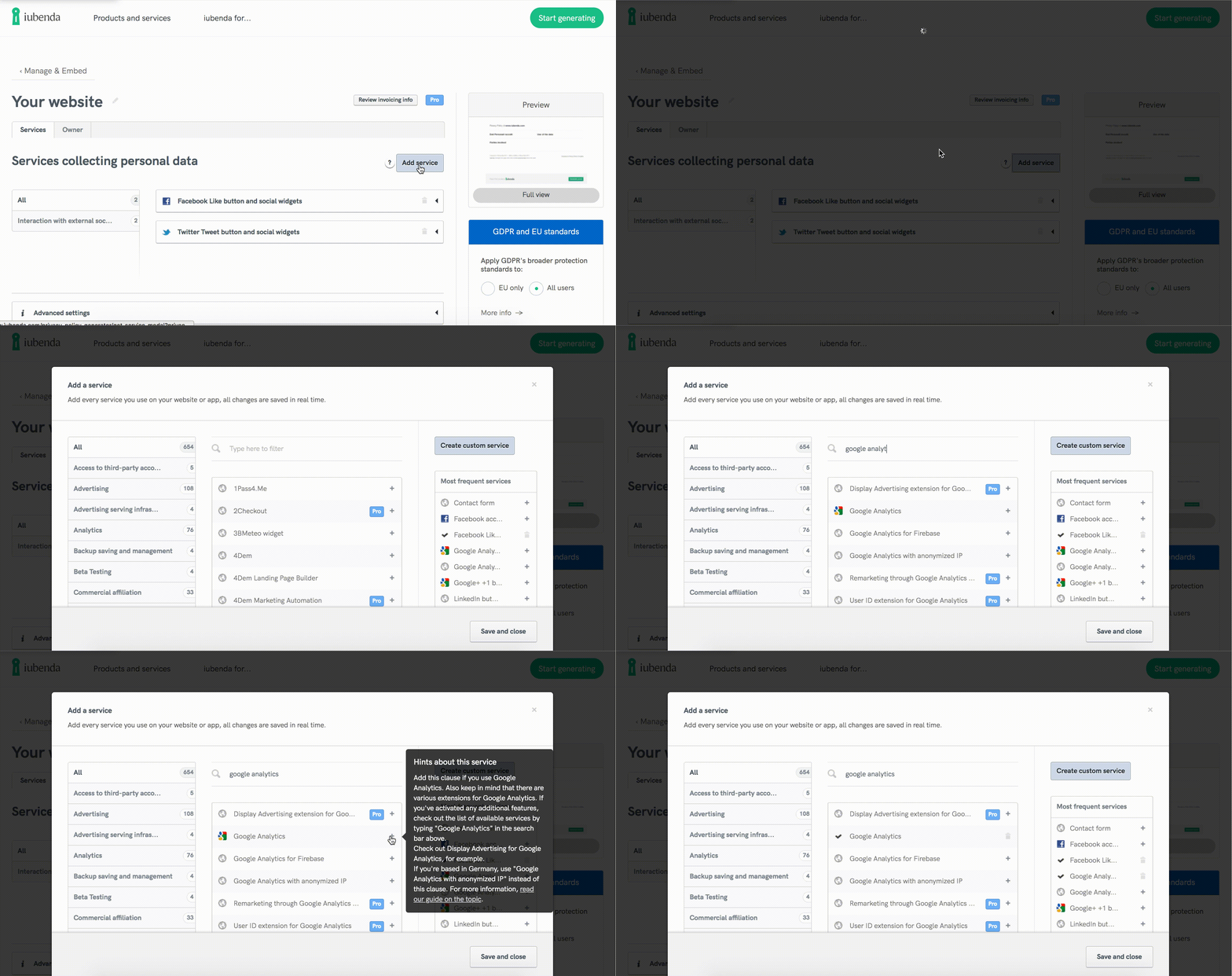
We’ve added a Site Scanner within the services window of the generator which allows you to quickly inspect your site in real-time and identify which services you need to add to your policy. Do note that although our scanner is powerful, it can only scan for technologies that are directly integrated on your pages. You will, therefore, still need to add manually the clauses that relate to data processing activities like newsletter sending.
Når du overvejer, hvilke grundlæggende tjenester der skal tilføjes til din politik, kan det hjælpe at stille dig selv følgende spørgsmål:
Hvilke brugeroplysninger indsamler jeg selv, og hvordan indsamler jeg dem?
Fx nyhedsbrevsformularer, kontaktformularer og kommentarsystemer.
Hvilke tredjepartstjenester bruger jeg på min hjemmeside/i min app?
Most likely these services also process user data in some way and therefore must be included in your policy. Some common ones are:
- Social media widgets (e.g Facebook like/share button, Twitter tweet button, Pinterest “pin it” button);
- Adgang til eksterne konti: Tjenester, der gør det muligt at få adgang til brugerens konto på en anden platform (fx adgang til Facebook-konto, adgang til Twitter-konto);
- Payment processors (e.g. Stripe, PayPal);
- Tracking and analytics (e.g Google Analytics, Piwik, WordPress Stats). Please note: if using tracking, you’ll likely need to include a cookie notice and implement a cookie solution on your site);
- Email marketing software & newsletter management services (e.g Constant Contact, MailChimp, Mad Mimi, AWeber):
- Digital marketing ad services (e.g Google Adsense, Google Ads, AdButler).
Til hvilke formål indsamler jeg disse data?
In most cases, the purpose of the data collection is standard and automatically included within the services added, however, there are some instances when you generate your privacy policy where you’re required to add additional disclosures. Some common ones are:
- Salg af varer og tjenester online
- Formål: Direkte e-mailmarkedsføring (DEM) (du tjener penge på dit nyhedsbrev og reklamerer for tredjepartsprodukter og -tjenester)
You can also easily add custom services by simply filling out the built-in form.
You can read more about what you’re legally required to disclose and obtain consent for in our Getting Started Guide.